 English
 Bahasa Indonesia
 Bahasa Melayu
 Cebuano
 Dansk
Dansk Deutsch
 Español
 Français
 Italiano
 Nederlands
 Română
 Tiếng Việt
 Türkçe
 Czech
Czech Ślōnskŏ gŏdka
 Татар теле
 Ukrainian
 العربية
 Thai
Thai Portugues
 Hindi
Hindi Greek
Greek Chinese
 Japanese
 Magyar
01
POPULAR
MP3
Small. Compatible. Ready to go.
The everyday choice for listening, sharing and keeping your audio files lightweight.
Everyday listening
→
YOUR AUDIO, YOUR WAY
Simple. Fast. Yours.
Convert SoundCloud links to MP3 and download high-quality audio with SCloud — a fast SoundCloud to MP3 downloader supporting tracks, playlists, MP3 up to 320kbps, WAV, FLAC, and M4A.
Convert SoundCloud links to MP3 and download high-quality audio with SCloud — a fast SoundCloud to MP3 downloader supporting tracks, playlists, MP3 up to 320kbps, WAV, FLAC, and M4A.
3 free downloads
No account needed
From tracks
to playlists.
Same freedom.
WORKS WITH ALL YOUR DEVICES

We’ve found a reliable way to keep Pro available and continue improving SCloud. Subscriptions are now handled through Patreon.
Paste a SoundCloud link to convert your track to MP3, download SoundCloud audio, or process a playlist with SCloud..
Trusted by 1M+ creators
Convert your downloaded file into .MP3 (192 kbps, 128 kbps, 256 kbps, 320 kbps), .FLAC, .WAVE, .M4A.
Go to SCloud Converter →Download SoundCloud MP3 audio in high quality, with support for up to 320kbps.
Convert your own audio files between MP3, WAV, FLAC and M4A formats.
You get SoundCloud MP3 up to 320kbps quality that works best for your listening or editing needs.
Process your audio directly in your browser without installing extra software.
Start with SCloud's free tools or upgrade to Pro for more features, higher limits and added flexibility.
Use the SCloud browser extension for a faster, more seamless way to access your audio tools.
Start free and upgrade when you want unlimited downloads, powerful audio tools and a cleaner experience.
Try SCloud with the essentials.
Full Pro access with flexible monthly billing.
Full Pro access for 3 months at a lower effective monthly price.
MP3 ↔ WAV • WAV ↔ FLAC • M4A ↔ MP3 • FLAC ↔ MP3
Compare every feature and choose the plan that fits you.
Our tool works perfectly across all major browsers. No compatibility issues — just paste and download.

Fastest performance, recommended for bulk downloads

Works great on iPhone and Mac, auto-saves to Downloads folder

Privacy-focused users love this, works flawlessly

Windows users get smooth, fast downloads

All privacy features stay enabled, no conflicts

Built-in ad blocker won't interfere with downloads
Chrome Mobile, Safari iOS, Samsung Internet, Firefox Mobile — all supported.
✓ Just open the site and start downloading, no matter which browser you prefer.
Get your supported SoundCloud track in a few simple steps — right from your browser.
Head over to SoundCloud and find the song or mix you want to save. It can be anything — from the newest indie hit to your favorite podcast.
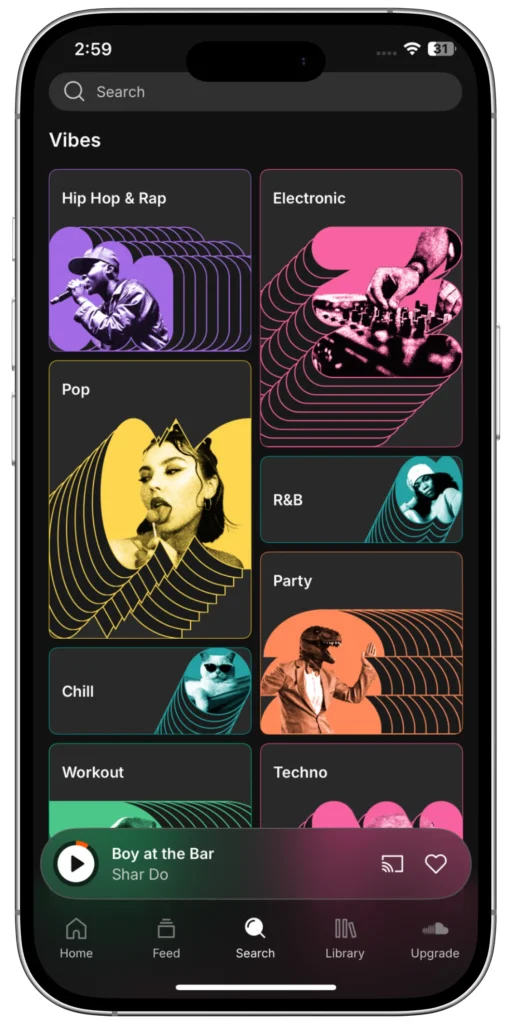
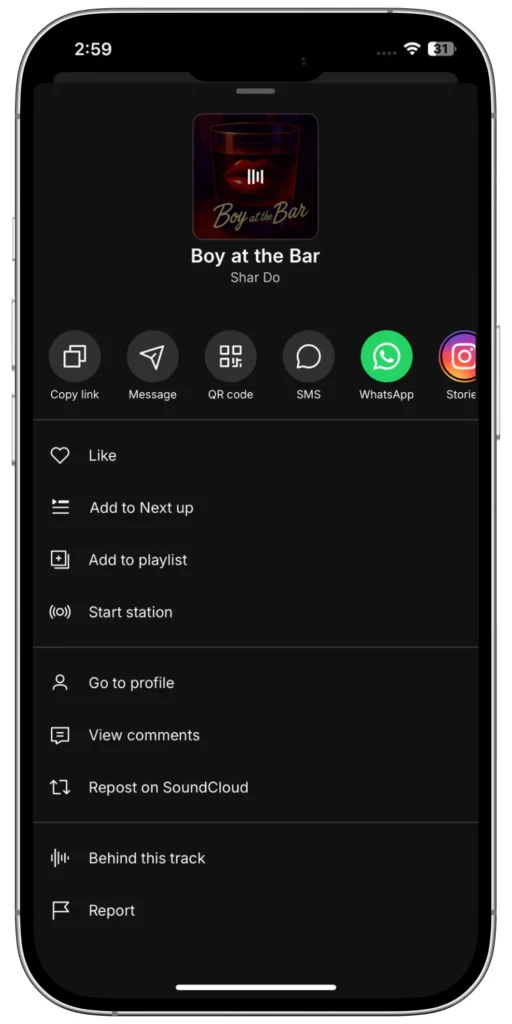
Look at your browser’s address bar and copy the entire URL of the track page.
Paste the SoundCloud track or playlist link into SCloud's downloader.
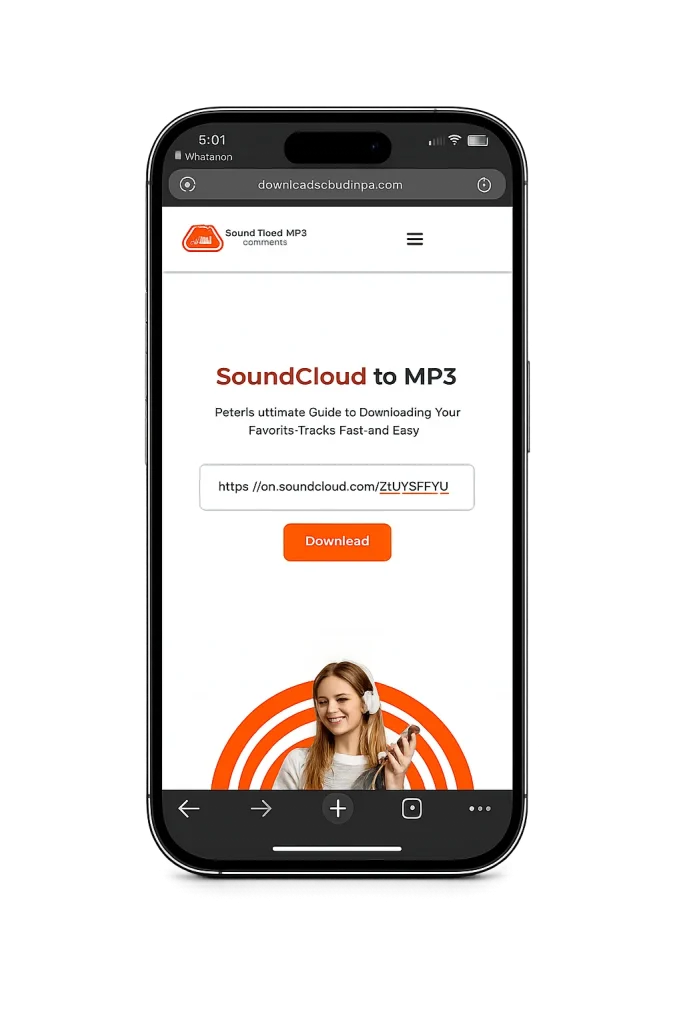
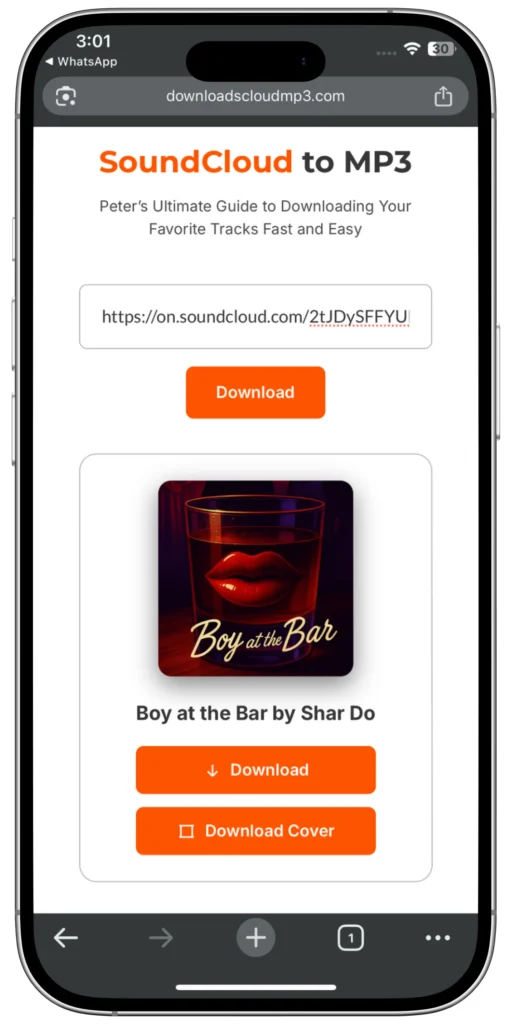
It’s automatically set to highest quality already, so you don’t have to worry about it! Or you can upgrade to SCloud for SoundCloud MP3 320kbps.
Click the download mp3 button, wait a few seconds while the conversion happens, and your MP3 file will be ready to save.

Choose the format that works for you. Download SoundCloud MP3 audio in high quality or convert your audio to WAV, FLAC, and M4A..
| Quality Level | Bitrate | File Size | Best For |
|---|---|---|---|
| High Quality | 320kbps | ~10MB | Audiophiles, premium speakers, studio use |
| Standard Quality | 192kbps | ~6MB | Mobile devices, car stereo, everyday use |
| Basic Quality | 128kbps | ~4MB | Limited storage, background music |
My recommendation: Use 320kbps for the best listening experience — you'll hear the difference on good headphones or speakers. But if you're tight on storage or downloading a lot of tracks, 192kbps is a great middle ground that still sounds excellent.
Download tracks from a SoundCloud playlist with SCloud. Paste your playlist link, select the tracks you want, and download your audio in your preferred format.
From SoundCloud MP3 downloads to WAV, FLAC, and M4A conversion, SCloud gives you the audio tools you need in one place.
The everyday choice for listening, sharing and keeping your audio files lightweight.
Uncompressed audio designed for editing, production and workflows where preserving the original audio matters.
Preserve your audio without compression loss while keeping files more efficient than uncompressed WAV.
A practical choice when you want high-quality audio with efficient file sizes and broad device support.
MP3 is ideal for everyday listening. WAV and FLAC are better for editing and preserving audio quality.
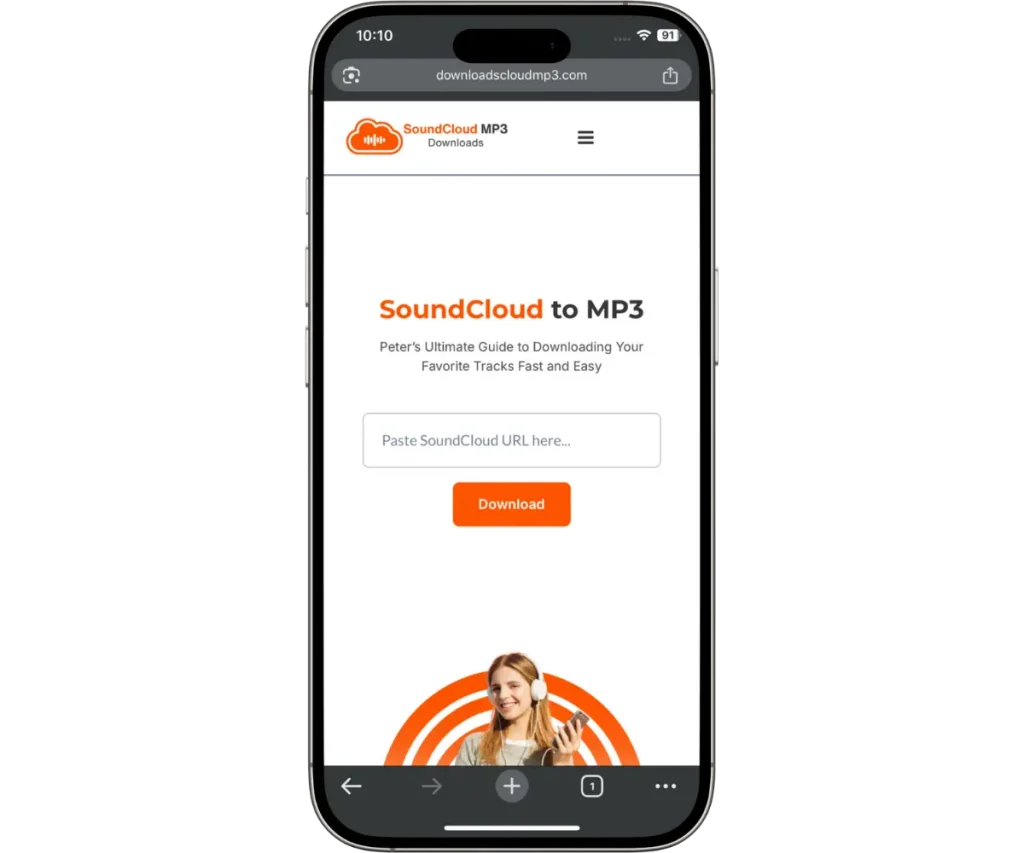
I love discovering fresh music on SoundCloud, but I always found it frustrating that saving tracks for offline listening wasn't always straightforward.
I wanted something quick, simple, and browser-based — so I built SCloud.
What started as a simple SoundCloud downloader has grown into a complete audio toolkit, with SoundCloud downloads, playlist support, and audio conversion between MP3, WAV, FLAC and M4A.
One simple idea: make working with audio easier.
SoundCloud to MP3 conversion lets you save supported audio as an MP3 file for offline listening and personal use.
MP3 is one of the most widely supported audio formats, working across phones, computers, cars, music players, and other devices. It also keeps file sizes relatively small while maintaining good audio quality.
With SCloud, you can provide a supported SoundCloud URL and download the available audio as an MP3 file — without installing additional software.

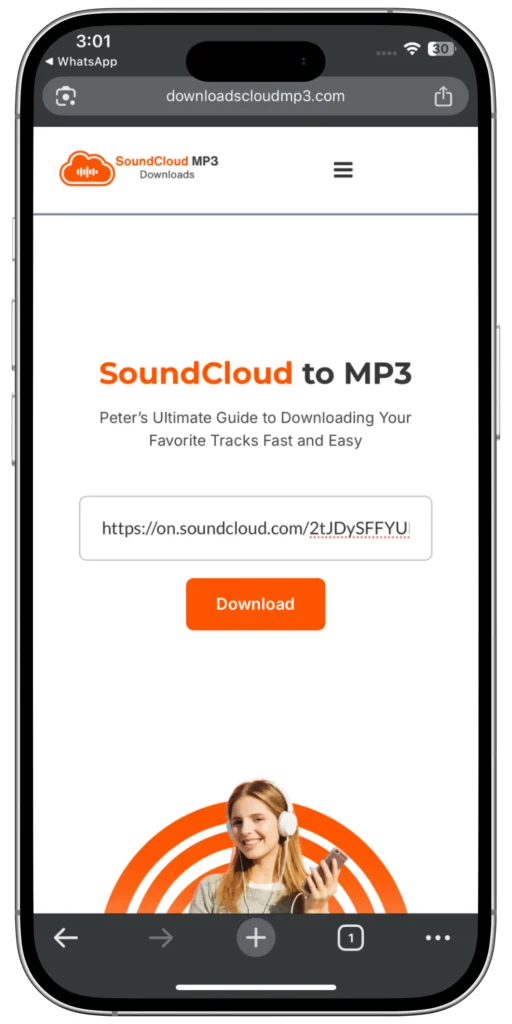
Found a playlist you want to save? SCloud lets you process supported SoundCloud playlist URLs without having to enter every track individually.
Paste the playlist URL into SCloud and process the available tracks in one place, making it easier to save your music for offline listening.
Hey there! I’m the person behind SCloud — a developer and music lover who wanted a simpler way to work with audio online.
I started SCloud because I was frustrated with tools that were overloaded with ads, complicated to use, or unreliable. I wanted something cleaner: a straightforward place to download supported SoundCloud audio and work with your own audio files.
Since then, SCloud has grown into more than a downloader. You can now download supported tracks and playlists, convert audio between MP3, WAV, FLAC and M4A, and manage your downloads in one place.
The goal has stayed simple: make working with audio easier.

Choose 320 kbps Whenever Possible: This bitrate keeps your music crisp and clear, almost indistinguishable from the original.
Check the Track’s Original Quality: If the original SoundCloud track is low quality, the MP3 will reflect that.
Use Good Headphones or Speakers: You’ll really hear the difference with better audio gear.
SCloud started with one goal: make everyday audio tasks easier.
Download supported SoundCloud tracks, process playlists, or convert your own files between MP3, WAV, FLAC and M4A — all from your browser.
No complicated software. Just the tools you need.

Once you’ve downloaded your tracks, here’s how to get the most out of them:
Use your music player app to organize by genre, mood, or artist & truly offline
Save your MP3 files on cloud storage or external drives so you never lose them.
Convert your own audio between MP3, WAV, FLAC and M4A whenever you need another format.
Use clear file names, metadata and folders to keep your personal audio library tidy.
Super, you can do it using our free plan! Just grab the SoundCloud track link, paste it into the box here on DownloadsCloudMP3.com, hit that convert button — and boom, your MP3 file is ready to download.
Yes! Whether you're on Android or iPhone, DownloadsCloudMP3.com works perfectly right from your browser. No apps, no downloads needed.
Yup, we do. We try to give you the best possible quality every time — usually 320kbps if the original track supports it. Clean, crisp audio every time.
Yes — no account needed. You get 3 SoundCloud downloads and 3 audio conversions per day at no cost. Create a free account and that rises to 5/day, still $0.
SCloud Pro increases the daily usage limits, upgrades download quality from 128kbps to up to 320kbps, unlocks every download format (MP3, WAV, FLAC, M4A), adds playlist downloads, and removes ads — $6.99/month.
No. Anonymous downloads work with zero signup, capped at 3/day. And if you create account with SCloud, your daily usage raises to 5/day.
For sure! Yes you can playlist downloads are on free plan within your daily limit! Whereas, for extended Soundcloud playlist downloads, you can subscribe to SCloud Pro to unlock unlimited playlist downloads in one go.
Yup, works like a charm on both. Just use your mobile browser — no need for an app.
Yes. SCloud supports conversion of longer audio files such as podcasts and DJ mixes, subject to the applicable file-size, duration and daily usage limits.
Yes — the SCloud Audio Converter handles your own MP3, WAV, FLAC, or M4A files separately from the downloader, with 3 free conversions/day up to 25MB per file.
Yes! Our tool runs in the cloud — just use your browser. No software, no downloads needed.
Totally. Whether you’re on Chrome, Safari, Edge, Firefox — whatever you’ve got, it works.
Free downloads come as MP3 only. Pro and 3 month plan unlock WAV, FLAC, and M4A downloads too, all at 320kbps. The converter tool supports all four formats as output on every plan, including free.
No installation required — everything runs in your browser. Pro users can optionally add the browser extension for faster access, but it's never required.
Download history is saved on SCloud Pro and 3 month plan accounts. Free downloads aren't tracked or saved to an account.
Yes. SCloud supports batch conversion. Free users can convert up to 3 files at once, Pro supports up to 10 files, and the 3-month plan supports up to 15 files based daily quotas.
Yes! We try to preserve the original metadata so your downloaded tracks are properly labeled.
SCloud started with a simple idea: make downloading and working with audio easier. Today, you can download supported SoundCloud tracks and playlists, convert your own audio between MP3, WAV, FLAC and M4A, and access everything directly from your browser.
Whether you're saving a track for offline listening or converting a file for your next project, SCloud gives you the tools to get it done without unnecessary complexity.